 Strata Site Audit
Six audit areas, one picture of the site.
Strata is an Elementor broken links checker, an unused template finder, a redirect chain checker, a media audit and a code conflict scanner in one plugin. Each area below reads one layer of the site; together they say where everything is and what is wrong with it.
Code
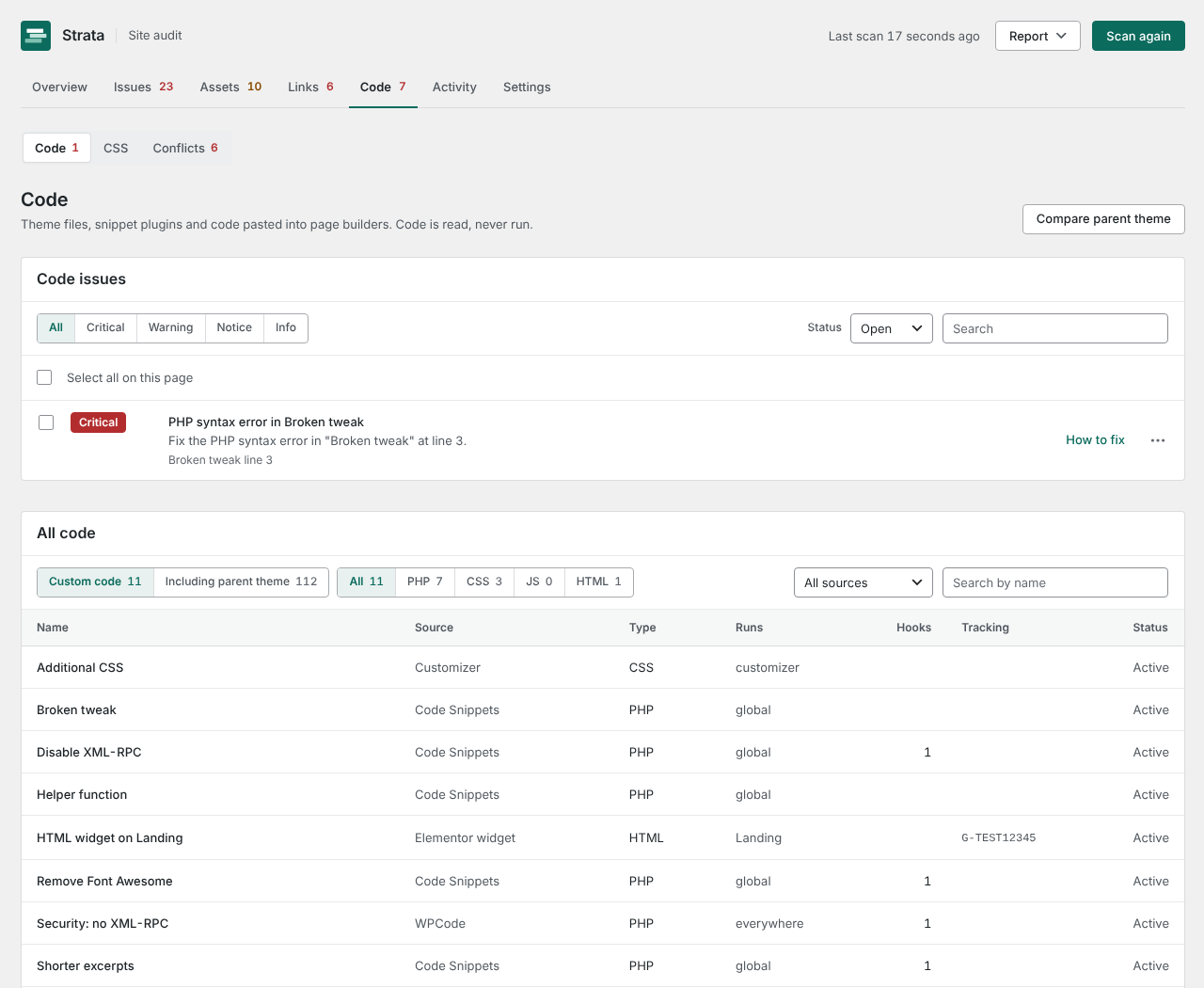
Reads theme and child theme files, Customizer Additional CSS, Elementor custom CSS and HTML widgets, and snippets from WPCode, Code Snippets, Simple Custom CSS and JS, Elementor Custom Code and Astra Custom Layouts. PHP is parsed into a syntax tree and read, never executed.
Finds PHP syntax errors, deprecated WordPress functions and code worth a second look, and records what each file or snippet hooks into and loads, so you can see what a snippet does before you touch it. Code, CSS and Conflicts sit together under one Code tab.
Builder
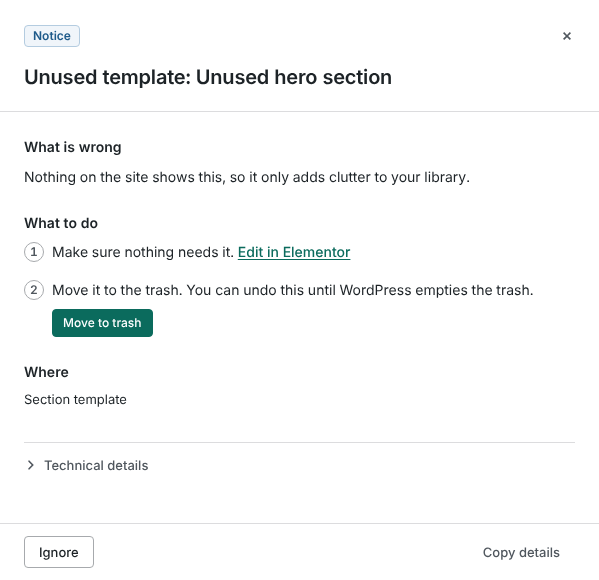
Reads Elementor pages, templates, popups, Theme Builder conditions, global colors and fonts, and block editor content, block types and synced patterns, and keeps a record of every page each one is used on.
Finds templates, popups, globals and synced patterns nothing uses, templates that point at deleted templates, and header or footer templates that target the same pages.
Media
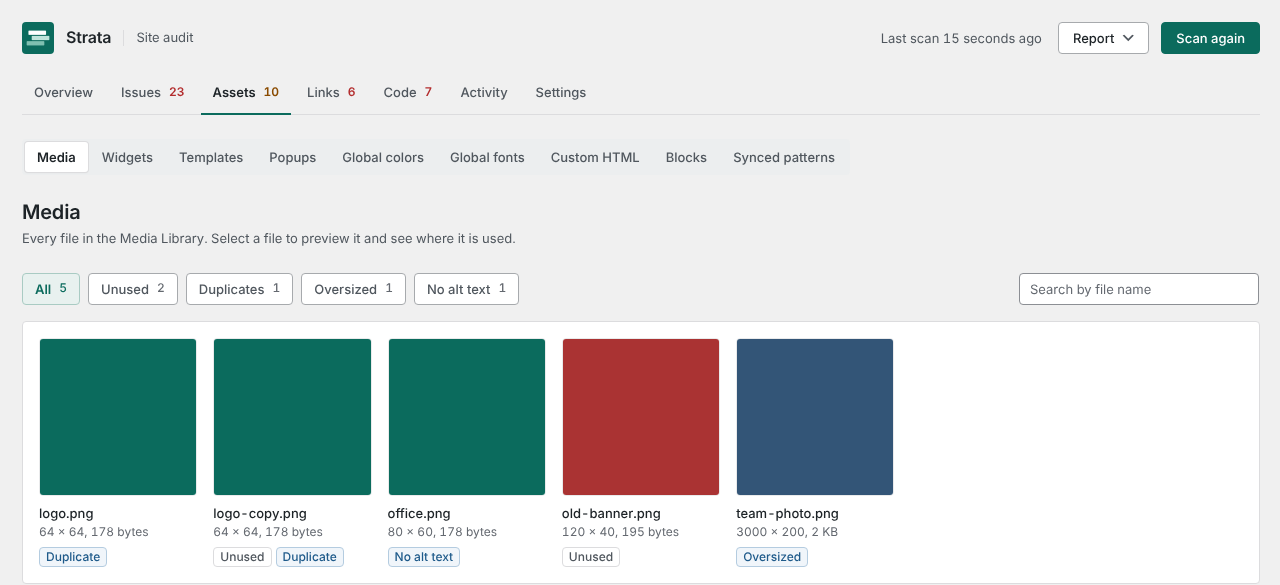
Records every attachment and every use of it: post content including drafts, featured images, WooCommerce galleries, Elementor data, the site icon and logo, and custom CSS.
Finds images far larger than any screen needs (over 2560 pixels or 1 MB), images shown without alt text, files nothing appears to use, and the same file uploaded more than once. Assets shows the library as a grid with a preview of each file, where it is used and views for unused files, duplicates, oversized images and missing alt text, plus the media trash, which WordPress hides by default. Add alt text in place, or move an unused file to the WordPress trash after Strata shows what it can and cannot check and you confirm. Undo brings it back.
Links and redirects
Crawls your own pages from the server, one page at a time on Free and several at once on Pro, checking files such as images and PDFs with a quick HEAD request instead of downloading them, and reads redirects from Redirection, Rank Math, Yoast SEO Premium and Safe Redirect Manager. Up to 500 pages on Free, no limit on Pro.
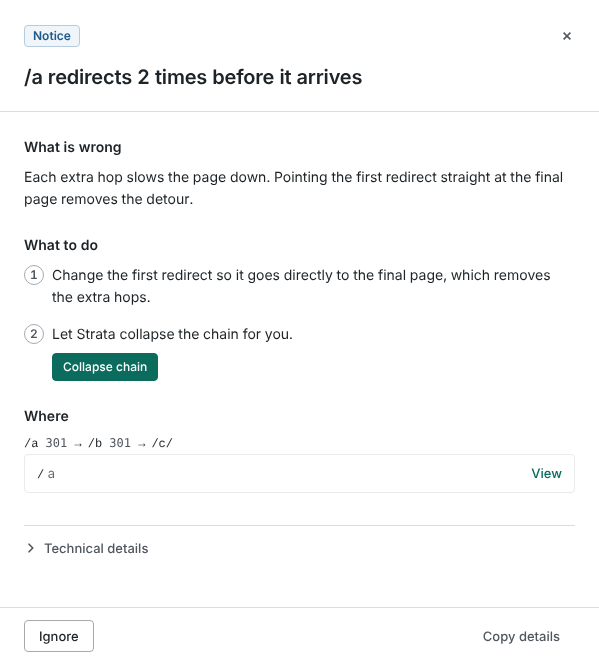
Finds broken internal links and missing images, scripts and stylesheets, with the exact page and widget that contains each one, and these redirect problems:
- Chain
- An address that redirects two or more times before it arrives. Collapse it to one hop.
- Loop
- Redirects that lead back to where they started.
- Dead end
- A redirect that lands on a 404.
- Duplicate
- The same address redirected by two plugins, which may disagree.
CSS
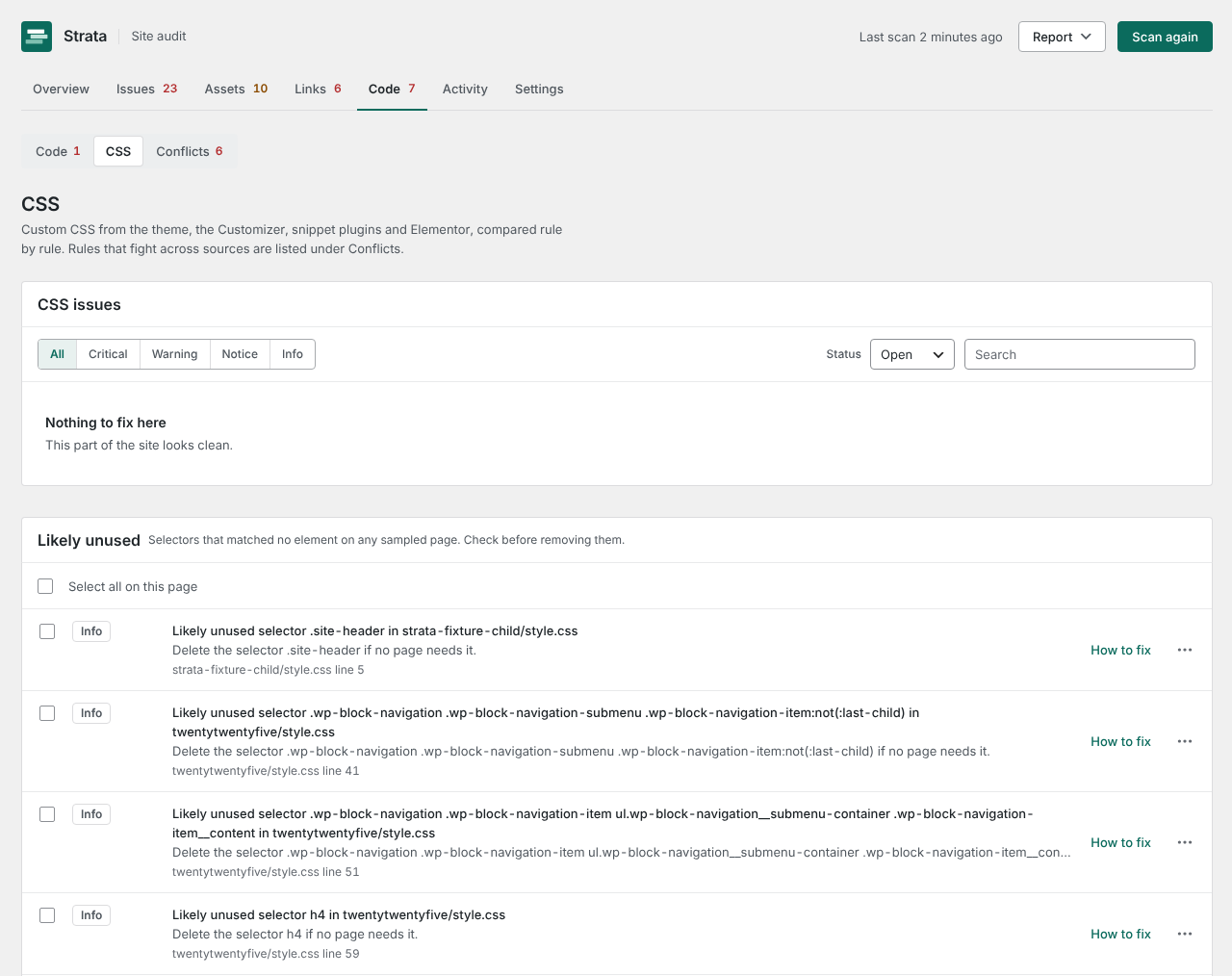
Parses every stylesheet and CSS block the Code area found (theme files, Additional CSS, Elementor custom CSS, snippet plugins) into rules, and keeps them per source so the same selector can be compared across all of them.
Finds the same property set differently in several places for one selector, which is the usual cause of a style that will not take. With Pro, also finds selectors that match nothing on up to 50 sampled pages.
Conflicts
Compares everything the Code area found for things that compete, repeat or cancel each other out across theme files, snippet plugins, page builder code and CSS.
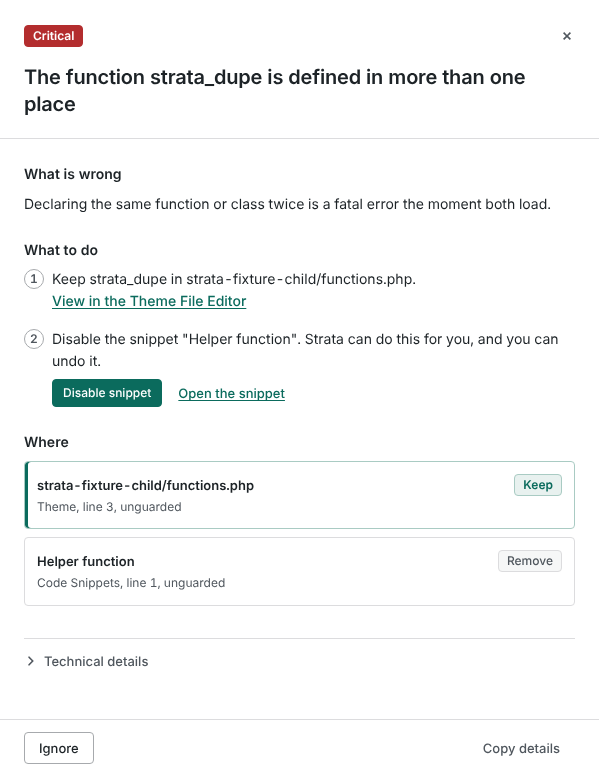
Finds the same function defined twice, several sources setting one filter when only one result is used, a tracking tag loaded more than once (which double-counts visits), a library loaded in one place and removed in another, and two snippets doing the same job. For each one it names the copy to keep (theme before plugin, child theme before parent, then snippet plugins and page builder code) and the copies to remove, and its one-click fix follows the same rule.
Fixes and undo
Every fix saves what it replaces first and appears on the Activity screen with an Undo button. Strata never edits theme files and never deletes anything permanently on its own. Moving a media file to the trash always asks first, and no Move to trash button is offered when the site's trash is turned off. When you are sure, Assets > Trash empties the media trash or deletes the files you pick, after a question that names them. That delete cannot be undone.
- Disable snippetTurns a snippet off in its own plugin without deleting it.
- Trash unused templateMoves a template, popup or synced pattern nothing uses to the trash, where it can be restored until WordPress empties the trash (30 days by default).
- Remove unused globalRemoves an Elementor global color or font nothing references.
- Add redirectAdds a redirect for a broken address in your redirect plugin, or in Strata's own list. Loops are refused.
- Collapse redirect chainPoints the first hop straight at the final destination.
- Replace linkReplaces a broken link in content or Elementor data with the address you choose.
- Add alt textSets the alt text of an image in the media library.
- Trash unused mediaMoves a file nothing uses to the WordPress trash after a check and your confirmation. Refused while any use remains.
- Merge duplicates (Pro)Points every use of a duplicate file at one kept copy and moves the extra copies to the trash, with one Undo.
- Bulk fixes (Pro)Applies one fix to many issues at once, or trashes several unused files, with a single Undo batch.
Undo never overwrites a later edit. It compares the post or kit with what it saved; if you changed it in between, Strata reverses only its own change inside your current content and keeps your edits. How each fix and undo works.
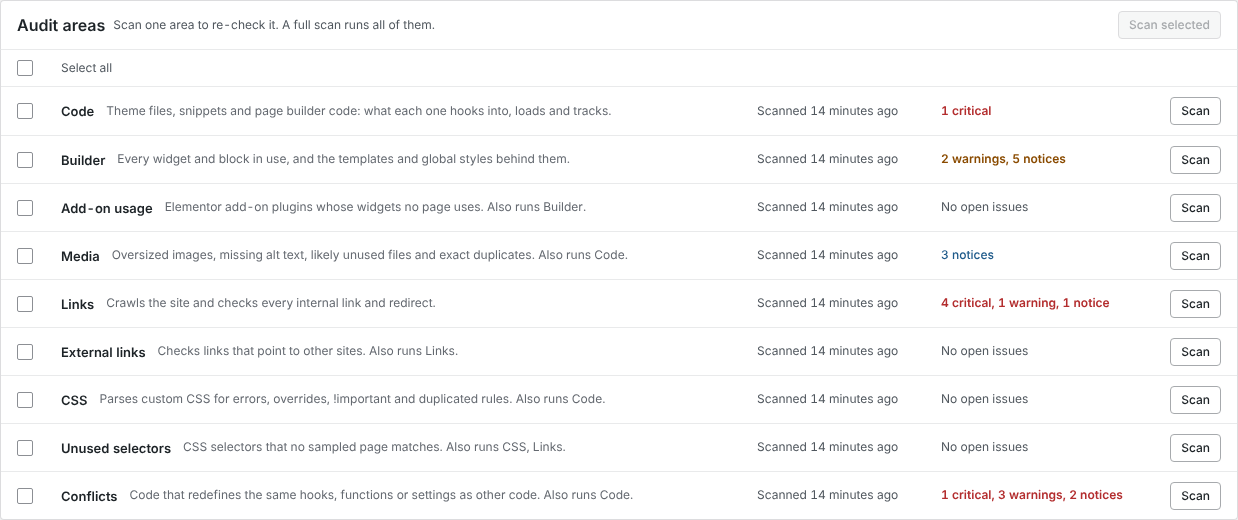
Scan one area at a time.
Every area has its own Scan button, with when it was last scanned and what is open. Re-check links in minutes after fixing them, or run everything at once. Strata adds whatever an area depends on, so a Conflicts scan reads the code first.
A partial scan refreshes only its areas, and every screen and report shows the newest result for each. The running scan names its stage, how far it is and roughly how long is left. Pause, resume or cancel at any time; every scan event is listed on the Activity screen next to the fixes.
Light on your server.
Scans run in the background in short steps that fit any host's PHP time limit, so they work on shared and managed hosting. The free link check requests one page or file at a time. Pro starts with two, adds more while your site keeps up and backs off when it slows down, so you rarely need to tune it.
Nothing loads on the front end of your site unless you create a redirect with Strata or turn on the Pro 404 log.
WP-CLI
Everything the screen does, from the command line: scan, list findings, fix, undo and write a report. Useful over SSH and from a real cron job.
wp strata scan --wait
wp strata findings --severity=critical
wp strata fix 42
wp strata undo 17
wp strata report --format=csv > audit.csv